1. 0
    Software development is about more than writing code. It involves learning new technologies, solving challenging problems, sharing knowledge, discovering tools, meeting like-minded people, and keeping up with an industry that changes constantly.Developer...

    Software development is about more than writing code. It involves learning new technologies, solving challenging problems, sharing knowledge, discovering tools, meeting like-minded people, and keeping up with an industry that changes constantly.

    Developer communities make all of this easier. They bring together software engineers, programmers, web developers, open-source contributors, startup founders, designers, and technology enthusiasts who want to learn from one another and exchange ideas.

    Whether you're a beginner looking for programming help, an experienced developer exploring new technologies, or an indie founder building your next product, joining the right communities can help you grow professionally and discover opportunities you might otherwise miss.

    But not every community serves the same purpose. Some focus on technical questions and answers, while others specialize in industry news, developer blogging, product launches, or startup growth.


    Read the entire article in The Startup Network

    1. 2
      The Coderwall team is pleased to announce the relaunch of Coderwall Dev Community, featuring several improvements designed to enhance the user experience and make discovering developer content easier.What’s new:Faster website loadingImproved navigation an...

      kjlik0a8pafmdhdqesnl

      The Coderwall team is pleased to announce the relaunch of Coderwall Dev Community, featuring several improvements designed to enhance the user experience and make discovering developer content easier.

      What’s new:

      • Faster website loading
      • Improved navigation and user experience
      • Site-wide search functionality
      • Light and dark mode support
      • Responsive design across devices
      • Ability to follow programming topics and users
      • Options to filter new, popular and trending content based on the topics and users you follow
      • Ability to easily search and discover trending tech and code topics
      • Ability to see programming topics grouped into categories
      • Ability to discover software products and rate them

      Explore the updated platform and discover a better way to stay connected with the Coderwall developer community.

      1. 3
        A highly sophisticated supply chain attack has struck one of the most widely used JavaScript libraries in the world. Two malicious versions of the popular HTTP client axios—1.14.1 and 0.30.4—were published to npm after a maintainer account was hijac...

        A highly sophisticated supply chain attack has struck one of the most widely used JavaScript libraries in the world. Two malicious versions of the popular HTTP client axios—1.14.1 and 0.30.4—were published to npm after a maintainer account was hijacked, introducing a stealthy remote access trojan (RAT) affecting macOS, Windows, and Linux systems.

        With over 100 million weekly downloads, axios sits at the core of countless applications. This incident represents one of the most precise and operationally advanced attacks ever observed in the npm ecosystem.

        Immediate warning

        If you installed:

        Assume your system is compromised.

        How the attack worked

        1. Maintainer account hijack

        The attacker gained control of a primary axios maintainer’s npm account and used it to publish malicious versions directly to npm—bypassing the project’s secure GitHub Actions release pipeline.

        These releases:

        • Appeared legitimate (same maintainer identity)
        • Had no corresponding GitHub commits or tags
        • Were published using a stolen long-lived npm token (not secure OIDC publishing)

        2. Pre-staged malicious dependency

        The attacker quietly published a package named:

        [email protected]

        This package:

        • Mimicked a legitimate crypto library
        • Included no obvious malicious code in its main files
        • Contained a hidden postinstall script: “postinstall”: “node setup.js”

        This script executed automatically during installation—no import required.

        3. Dependency Injection into axios

        The compromised axios versions added a single new dependency:

        “plain-crypto-js”: “^4.2.1”

        That’s it.

        No other files changed. No malicious code inside axios itself.

        This is what made the attack so dangerous:

        • Static code inspection shows nothing suspicious
        • The payload executes during install, not runtime
        • The dependency is never actually used in the code

        The payload: Cross-platform RAT dropper

        Once triggered, the malicious dependency:

        1. Executes instantly during npm install
        2. Contacts a live command-and-control (C2) server
        3. Downloads a platform-specific second-stage payload
        4. Installs a remote access trojan
        5. Deletes itself and wipes evidence

        Read the entire article on the Hacking News post: https://www.hackingnews.com/malware/axios-compromi...

        1. 2
          Anthropic appears to have accidentally shipped a .map file with their Claude Code npm package, exposing the full readable source of the CLI tool. The package has since been pulled, but not before it was widely mirrored and dissected.A few interestin...

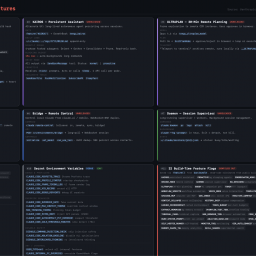
          Anthropic appears to have accidentally shipped a .map file with their Claude Code npm package, exposing the full readable source of the CLI tool. The package has since been pulled, but not before it was widely mirrored and dissected.

          A few interesting findings from the leaked code:

          • Anti-distillation mechanisms:
            The client can request “fake tool” injection to poison training data for anyone scraping API traffic. There’s also a system that summarizes intermediate outputs with signed blobs, so recorded traffic doesn’t contain full reasoning chains. Both mechanisms are feature-flagged and relatively easy to bypass.
          • “Undercover mode”:
            A built-in mode prevents the model from revealing internal codenames or even mentioning “Claude Code.” Notably, it cannot be force-disabled in external contexts, meaning AI-generated contributions may intentionally appear human-authored.
          • Frustration detection via regex:
            Instead of using an LLM, user frustration is detected with a simple regex matching phrases like “wtf,” “this sucks,” etc. Cheap and fast, if a bit ironic.
          • Client attestation at the transport layer:
            Requests include a placeholder that gets replaced with a hash by Bun’s native HTTP stack (in Zig), allowing the server to verify requests come from an official binary. This acts like lightweight DRM for API access, though it’s gated behind flags and not airtight.
          • Operational inefficiency:
            A comment notes ~250K API calls/day were being wasted due to repeated failures in a compaction routine. Fixed by adding a simple failure cap.
          • KAIROS (unreleased):
            The code references a heavily gated autonomous agent mode with background workers, scheduled tasks, memory distillation, and GitHub integration—suggesting an always-on agent system in development.
          1. 3
            Warning: If you suspect your website has been compromised, act quickly but calmly. many successful recoveries start with clear, methodical detection followed by containment and restoration.Understand: A website compromise can look like many things, fr...

            Warning: If you suspect your website has been compromised, act quickly but calmly. many successful recoveries start with clear, methodical detection followed by containment and restoration.

            Understand: A website compromise can look like many things, from overt defacement and spam injection to subtle data exfiltration or hidden cryptocurrency miners. this guide walks through seven practical checks you can run right away to assess whether your site has been hacked and what to do next.

            Why it matters: The real cost of an undetected compromise

            Consider: A hacked website is more than an embarrassing banner or a few spam links. it risks customer data, search engine reputation, email deliverability, and your hosting relationship. attackers can embed backdoors that let them come back later, use your site to phish visitors, or add code that mines cryptocurrency and exhausts resources.

            Remember: The longer a compromise remains undetected, the higher the chance of permanent damage, lost backups, leaked credentials, or downstream harm to users. early detection sharply reduces cleanup time and cost.

            Check 1: Google search console and "security issues"

            Check: If you haven't already, register your site with google search console (gsc) and confirm ownership. gsc includes a "security issues" panel that reports malware, social engineering, and hacked content detected by google's crawlers.

            Tip: gsc often provides example URLs and infected snippets. even if the report is sparse, treat a security alert as high priority, google will sometimes suppress search listings and show warnings to users before you notice traffic drops.

            How to use it

            Action: Open search console ? security & manual actions ? security issues. follow the remediation links, then request a review after you clean the site.

            Check 2: Google safe browsing & third-party site reputation checks

            Verify: Google safe browsing maintains a blocklist used by browsers. several public tools let you query whether your domain appears in that database; if your domain is listed, visitors will see red warnings in chrome, firefox, and safari.

            Also: Use multiple reputation tools (for example, site scanners, "isitdown" pages, or web malware checkers) because each scanner has slightly different signatures and heuristics. a clean result on one scanner doesn't guarantee safety, use a small battery of checks.

            Check 3: Visible site behavior, defacement, redirects, and odd UI

            Look: Walk through your site as a new visitor would, using an incognito window or a machine that doesn't have admin cookies. look for unexpected banners, popups, forced downloads, or content that doesn't belong to you.


            Read the entire article inside the Is it hacked blog: https://isithacked.com/blog/is-my-site-hacked-7-wa...

            1. 4
              In 2025, the battle against fraud has evolved — and artificial intelligence is at the center of it. AI has become both the fraudster’s most powerful weapon and the business’s strongest defense.According to Stripe’s latest report, The 2025 State of AI and...

              In 2025, the battle against fraud has evolved — and artificial intelligence is at the center of it. AI has become both the fraudster’s most powerful weapon and the business’s strongest defense.

              According to Stripe’s latest report, The 2025 State of AI and Fraud, malicious actors are using AI to create fake identities, steal card data, and automate large-scale testing of stolen payment credentials. At the same time, businesses are deploying AI-driven tools to detect and prevent fraud faster than ever before.

              This new arms race in digital security highlights a critical paradox: as Artificial Intelligence capabilities advance, so does the sophistication of fraud — but so does the power to stop it.

              Read the full article on Typing AI Biometrics blog: https://typing.ai/blog/how-artificial-intelligence...

              1. 2
                ChatGPT is seeing increased use for search-style queries, but Google continues to dominate global search activity.According to new data shared by SparkToro CEO Rand Fishkin, ChatGPT processes about 66 million search-intent prompts per day, while Google ha...

                ChatGPT is seeing increased use for search-style queries, but Google continues to dominate global search activity.

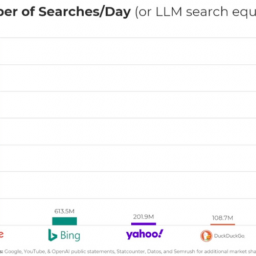
                According to new data shared by SparkToro CEO Rand Fishkin, ChatGPT processes about 66 million search-intent prompts per day, while Google handles approximately 14 billion daily searches. That makes Google’s search volume more than 210 times greater.

                Key figures:

                • OpenAI CEO Sam Altman previously reported that ChatGPT handled 1 billion prompts per day in December 2023, rising to 2.5 billion by July 2024.
                • A joint Harvard and OpenAI study estimated that 21.3% of prompts are “search-like”, leading to the current 66 million daily search-intent queries.
                • Google processed 5 trillion searches in 2024, or about 14 billion per day.
                • Estimates also suggest DuckDuckGo drives more referral traffic than ChatGPT.

                Industry data indicates that AI-driven search accounts for less than 1% of web referrals, according to BrightEdge. Earlier this year, Fishkin noted that Google Search was approximately 373 times larger than ChatGPT.

                Research from SparkToro and Datos suggests AI adoption does not reduce Google usage; in fact, users often increase their Google searches when adopting AI tools.

                Outlook:
                While AI-based discovery is expanding rapidly, the latest figures show that traditional search remains the dominant channel for online information and referral traffic.

                1. 3
                  HiFiles AI continues to evolve as a secure, intelligent chatbot platform designed for document-based knowledge extraction and conversational support. The most recent updates reflect a commitment to flexibility, security, and enterprise-grade contr...

                  HiFiles AI continues to evolve as a secure, intelligent chatbot platform designed for document-based knowledge extraction and conversational support. The most recent updates reflect a commitment to flexibility, security, and enterprise-grade control.

                  I. New functionality now available

                  1) Chat initialization without document upload
                  Users can now initiate new chat sessions without uploading a document. This enables broader applications, such as setting up chatbot logic before final documentation is prepared, or running generic assistants that aren’t bound to a specific file.

                  2) Custom domain and subdomain mapping
                  Chatbots can now be deployed under a domain or subdomain of the user’s choice. This supports branding and integration use cases where direct embedding is insufficient or where DNS-based identity is preferred.

                  A working example of this feature is visible at: https://iwashacked.com

                  3) Access control based on user registration status
                  HiFiles AI now supports access-level restrictions for bots based on whether an end-user is authenticated or anonymous. This capability is particularly valuable for gated resources, internal documentation, and any deployment where access segmentation is a compliance or policy requirement.

                  Read the entire article on the Typing AI Biometrics blog: https://typing.ai/blog/hifiles-ai-july-feature-upd...

                  1. 3
                    Generative AI has transformed the way enterprises build, interact, and automate. But as adoption of large language models (LLMs) accelerates, so do the risks. From model manipulation to shadow usage, these systems introduce new and evolving threat v...

                    Generative AI has transformed the way enterprises build, interact, and automate. But as adoption of large language models (LLMs) accelerates, so do the risks. From model manipulation to shadow usage, these systems introduce new and evolving threat vectors, many of which traditional security stacks fail to detect or mitigate effectively.

                    At Typing AI Biometrics, we combine behavioral biometrics with advanced AI security tooling to help organizations secure every layer of generative AI. Below, we outline the top 10 risks facing LLM-powered apps in 2025 and how to reduce exposure while maintaining innovation velocity.

                    1. Prompt Injection

                    Risk: Attackers craft inputs designed to manipulate model behavior, override safety constraints, or leak context data. These inputs may come from users or third-party systems.


                    Mitigation: Apply input validation and structure prompts using strict system/user separation. Monitor for anomalous patterns using behavioral AI. Deploy guardrails to detect and neutralize prompt manipulation before it reaches the model.

                    2. Data leakage through outputs

                    Risk: LLMs may expose internal data, personally identifiable information (PII), or confidential content unintentionally through completions.


                    Mitigation: Implement output filtering and redaction. Use behavioral identity signals to limit access to context-sensitive operations. Enforce context lifespan policies and log access trails.

                    3. Hallucinations

                    Risk: LLMs often generate plausible but false information, leading to poor decisions or compliance breaches when outputs are trusted too readily.


                    Mitigation: Integrate retrieval-augmented generation (RAG) with curated knowledge bases. Flag uncertain or unverifiable responses. Include human-in-the-loop (HITL) where business-critical accuracy is needed.

                    Read the entire article on the Typing AI Biometrics blog: https://typing.ai/blog/2025-top-10-risks-and-mitig...

                    1. 2
                      In today’s digital world, managing documents efficiently is crucial. But with countless files to go through, finding the right information can be a hassle. That’s where HiFiles AI steps in! 🚀What is HiFiles AI?Imagine never having to manually search throu...

                      In today’s digital world, managing documents efficiently is crucial. But with countless files to go through, finding the right information can be a hassle. That’s where HiFiles AI steps in! 🚀

                      What is HiFiles AI?

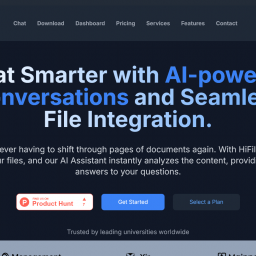
                      Imagine never having to manually search through pages of documents again. With HiFiles AI, you can upload your files, and our AI-powered assistant will instantly analyze the content, providing you with precise answers. Whether you’re a student, researcher, or professional, HiFiles AI is here to streamline your workflow and boost productivity.

                      Key Features

                      ✅ Instant Document Analysis
                      ✅ Smart Search & Answers
                      ✅ User-Friendly Interface
                      ✅ AI-Powered Summarization
                      ✅ Secure & Reliable

                      Why Choose HiFiles AI?

                      Traditional methods of document search and management can be time-consuming, especially when dealing with large data volumes. HiFiles AI removes this burden by acting as an intelligent assistant, ready to find the information you need instantly. Whether it’s contracts, reports, legal documents, or research papers, HiFiles AI simplifies the process for you.

                      Support Us on Product Hunt! 🚀

                      We’re excited to share that HiFiles AI is now live on Product Hunt! We’d love your support—check out our launch, upvote, and share your thoughts.

                      🔗 Explore & Upvote HiFiles AI on Product Hunt

                      Join us in transforming document management with AI. We’d love to hear your feedback! 🚀✨